

:format(webp))

:format(webp))

:format(webp))


Components and features of a point of sale system
The components of a point of sale (POS) system are the parts that make it work, such as a device, point of sale software, payment tools and optional equipment. Its features are the jobs those parts allow the system to do, from ringing up sales and recording payments to tracking stock, managing staff and creating reports.

:format(webp))
Nakita Bam
Sep 19, 2026
14 mins
:format(webp))
:format(webp))
Learn
The difference between point of sale components and features
Components are the parts you buy, and features are the jobs those parts let you do. The two words get used together in a sales conversation, and they answer different questions.
Components | Features |
|---|---|
What they are The physical and digital parts of the system. | What they are The jobs those parts can do. |
Example A barcode scanner, point of sale system software, a card machine. | Example Stock tracking, split bills, staff permissions. |
Question they answer What is in the setup? | Question they answer What can the setup do? |
How they vary By hardware, software and connectivity. | How they vary By provider, product and plan. |
What you are comparing | Components | Features |
|---|---|---|
What they are | The physical and digital parts of the system. | The jobs those parts can do. |
Example | A barcode scanner, point of sale system software, a card machine. | Stock tracking, split bills, staff permissions. |
Question they answer | What is in the setup? | What can the setup do? |
How they vary | By hardware, software and connectivity. | By provider, product and plan. |
Two providers can both advertise inventory management while offering different controls, limits and workflows. A list of feature names doesn't tell you how each feature works, which plan includes it, or what other components it needs.
Components every point of sale system needs

:format(webp))
A working point of sale system needs three things at a minimum: a way to enter the sale, software to process it and somewhere to save the record. Every setup looks different and the five parts below are how those three components or capabilities are built.
1. A device and checkout interface
The device is where you, your staff or your customer interact with the point of sale system. It can be a countertop touchscreen, a handheld point of sale device, a tablet, a phone or a computer.
The screen lets you start a sale, add an item or an amount, check the total, record how the customer paid and complete the transaction. Bigger screens make a long list of products or menu items easier to navigate. Smaller devices let you serve customers away from a fixed counter.
Which format suits you depends on where the sale happens, how many items go into it, and whether your staff need to move while they serve.
2. Point of sale software
Point of sale software is the application (app) that runs the checkout. It applies your prices and rules, works out the total and saves the completed sale. Depending on the system, the software can also manage products, stock, staff, customers, reports, permissions and integrations.
3. Transaction and business data
A point of sale system needs information to work with. At its simplest, it's the amount, the payment method and the date and time of a sale. A fuller setup uses a structured catalogue holding product names, prices, categories, variants, modifiers, tax settings and stock information.
How you set this up decides how useful your records are. If your staff ring up every purchase as a general amount, the point of sale can tell you how much money was recorded, but it can't reliably show which products sold.
4. A way to record or accept payment
Every completed sale needs a payment method recorded against it, and the point of sale doesn't have to process that payment itself.
For cash, the point of sale system records the amount received and can work out the change owed. For card and contactless payments, a payment terminal handles the electronic authorisation. The terminal can be separate, connected to the point of sale system, or combined with the checkout in one device.
5. Storage and connectivity
The system needs somewhere to keep products, settings and transaction records. That can be stored on equipment at your business, in a cloud service, or across both. Connectivity lets devices synchronise, sends electronic payment requests, and can move information between the point of sale and your other systems. For a fuller comparison, read what a cloud-based point of sale system is.
What hardware can form part of a point of sale system?
Point of sale hardware is the physical equipment used to enter, complete or support a sale. Some setups combine several functions in one device. Others use separate components connected around a central checkout.
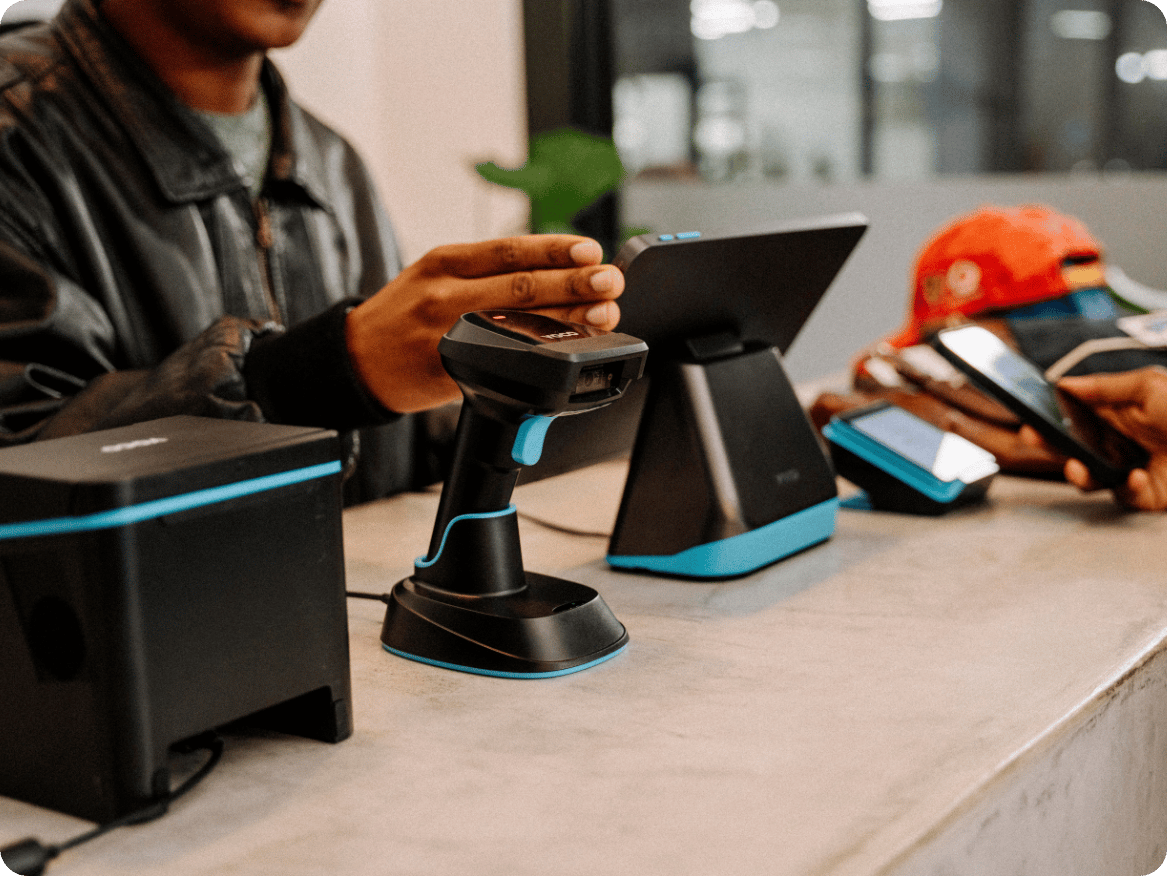
Up to ten devices can form part of a point of sale system: a countertop touchscreen, a handheld point of sale device, a tablet or phone, a payment terminal, a barcode scanner, a receipt printer, a kitchen or preparation printer, a cash drawer, a customer-facing display, and stands or mounts.
What it does | When it is useful |
|---|---|
Countertop touchscreen Displays the checkout interface on a fixed screen. | Countertop touchscreen Busy retail, food and beverage, or service counters with complex catalogues. |
Handheld point of sale device Combines checkout and payment in a portable device. | Handheld point of sale device Table service, queues, markets, events, deliveries. |
Tablet or phone Runs point of sale software on a consumer device. | Tablet or phone Flexible starting setups, pop-ups, mobile sellers. |
Payment terminal Accepts card, contactless and digital wallet payments. | Payment terminal Any business that accepts electronic payments. |
Barcode scanner Reads a product barcode to add the item to a sale. | Barcode scanner Retail with barcoded products and high checkout volume. |
Receipt printer Prints transaction receipts, bills or preparation tickets. | Receipt printer Retail, food and beverage, or any business needing a paper record. |
Kitchen or preparation printer Sends order details to a preparation area. | Kitchen or preparation printer Restaurants, cafes and food businesses with a separate kitchen. |
Cash drawer Stores cash and opens when a cash sale is recorded. | Cash drawer Any business that accepts cash payments at a fixed counter. |
Customer-facing display Shows the customer what is being rung up and the total. | Customer-facing display Retail environments where price transparency matters. |
Stands and mounts Hold a tablet, phone or device securely at a checkout point. | Stands and mounts Countertop setups using consumer devices. |
Device | What it does | When it is useful |
|---|---|---|
Countertop touchscreen | Displays the checkout interface on a fixed screen. | Busy retail, food and beverage, or service counters with complex catalogues. |
Handheld point of sale device | Combines checkout and payment in a portable device. | Table service, queues, markets, events, deliveries. |
Tablet or phone | Runs point of sale software on a consumer device. | Flexible starting setups, pop-ups, mobile sellers. |
Payment terminal | Accepts card, contactless and digital wallet payments. | Any business that accepts electronic payments. |
Barcode scanner | Reads a product barcode to add the item to a sale. | Retail with barcoded products and high checkout volume. |
Receipt printer | Prints transaction receipts, bills or preparation tickets. | Retail, food and beverage, or any business needing a paper record. |
Kitchen or preparation printer | Sends order details to a preparation area. | Restaurants, cafes and food businesses with a separate kitchen. |
Cash drawer | Stores cash and opens when a cash sale is recorded. | Any business that accepts cash payments at a fixed counter. |
Customer-facing display | Shows the customer what is being rung up and the total. | Retail environments where price transparency matters. |
Stands and mounts | Hold a tablet, phone or device securely at a checkout point. | Countertop setups using consumer devices. |
Your workflow decides which of these devices you need, rather than a standard point of sale system checklist. For instance, if you issue only digital receipts, you may not need a printer. A boutique with a small catalogue may not need a scanner. If you sell on the move, you may have no use for a cash drawer.
For more detail, see point of sale hardware explained.
Software features of a point of sale system
Point of sale features are grouped by the part of your business they support: checkout, products, payments, stock, staff, customers, reporting, multi-location, integrations and administration. Availability and depth vary by provider, by product and by plan, so read every list in this section, as the range across the category rather than a description of any one system.
Checkout features handle split bills, tips and returns
Checkout features cover building the sale, splitting a bill across more than one payment, adding a discount, service charge or tip, and correcting a sale with a return, void or refund. They can include:
Product search and quick-access tiles.
Quantity changes and item removal.
Variants such as size, colour or flavour.
Modifiers and add-ons.
Discounts, service charges and tips.
Saved, parked or open orders.
Split bills or split payments.
Returns, voids and refunds.
Printed or digital receipts.
Which of these is included depends on your provider and plan.
:format(webp))
Product and menu management
Product management gives the point of sale system a structured list of what you sell, with prices, categories, variants and barcodes attached to each item. Features may include:
Product names, descriptions and prices.
Categories and subcategories.
Variants and modifiers.
Barcodes or stock-keeping units.
Different prices by location or order type.
Product availability controls.
Bundles, combos or recipes.
Which of these is included depends on your provider and plan. A well-built catalogue makes checkout faster and reporting more useful. It also saves your staff from having to remember prices or enter broad custom amounts.

:format(webp))
Record and accept payments
The point of sale records how the customer paid, and a connected payment service can also let it request and confirm an electronic payment. Features can include:
Cash, card and other payment-method categories.
Change calculation.
Connected payment amounts.
Partial or split payments.
Tips.
Payment references and transaction status.
Refund initiation or recording.
End-of-day payment totals.
Which of these is included depends on your provider and plan.
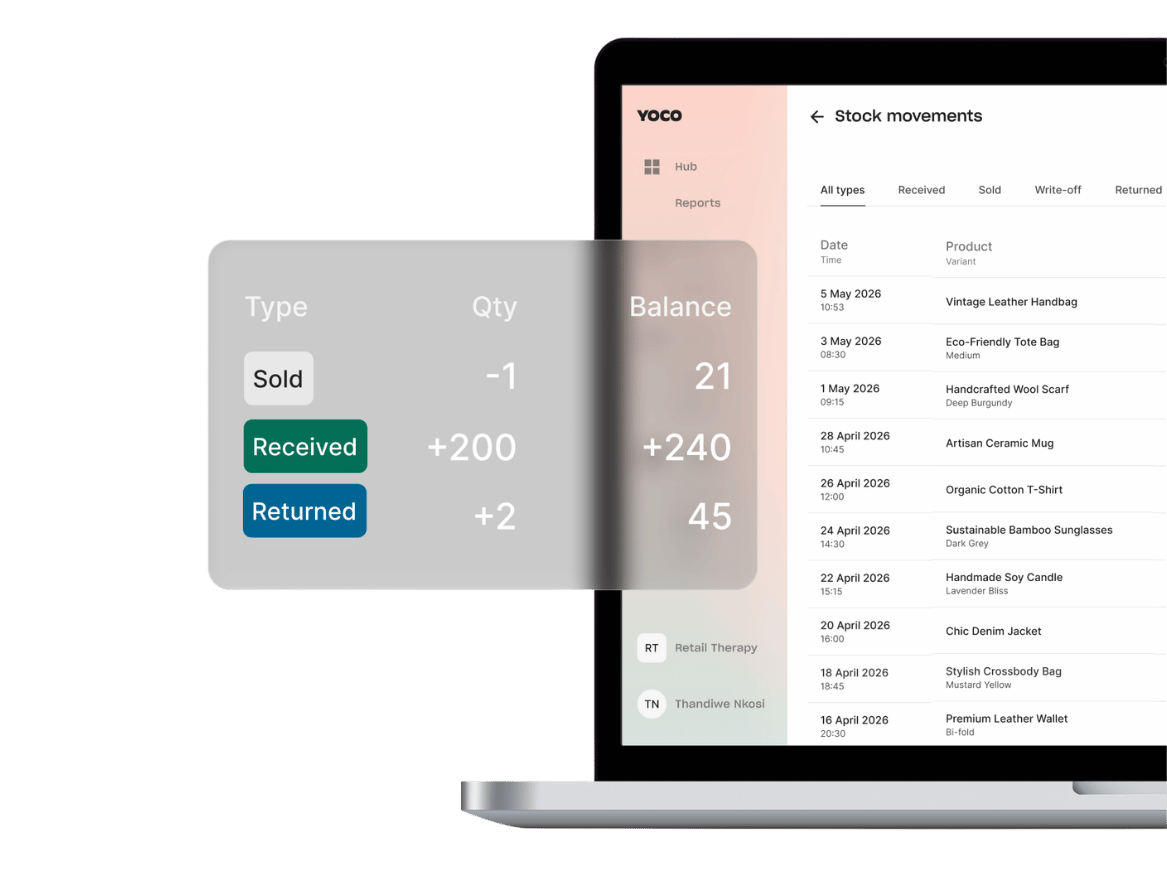
Stock features
Stock features connect a sale to the quantity you expect to have available, deducting the item when it sells and flagging what is running low. They may include:
Stock deduction when an item is sold.
Manual stock adjustments.
Low-stock alerts.
Purchase-order or supplier records.
Stock counts.
Transfers between locations.
Ingredient or recipe tracking.
Stock movement history.
Which of these is included depends on your provider and plan.
Read how point of sale systems manage stock and inventory for the full workflow.
Track staff hours and tips
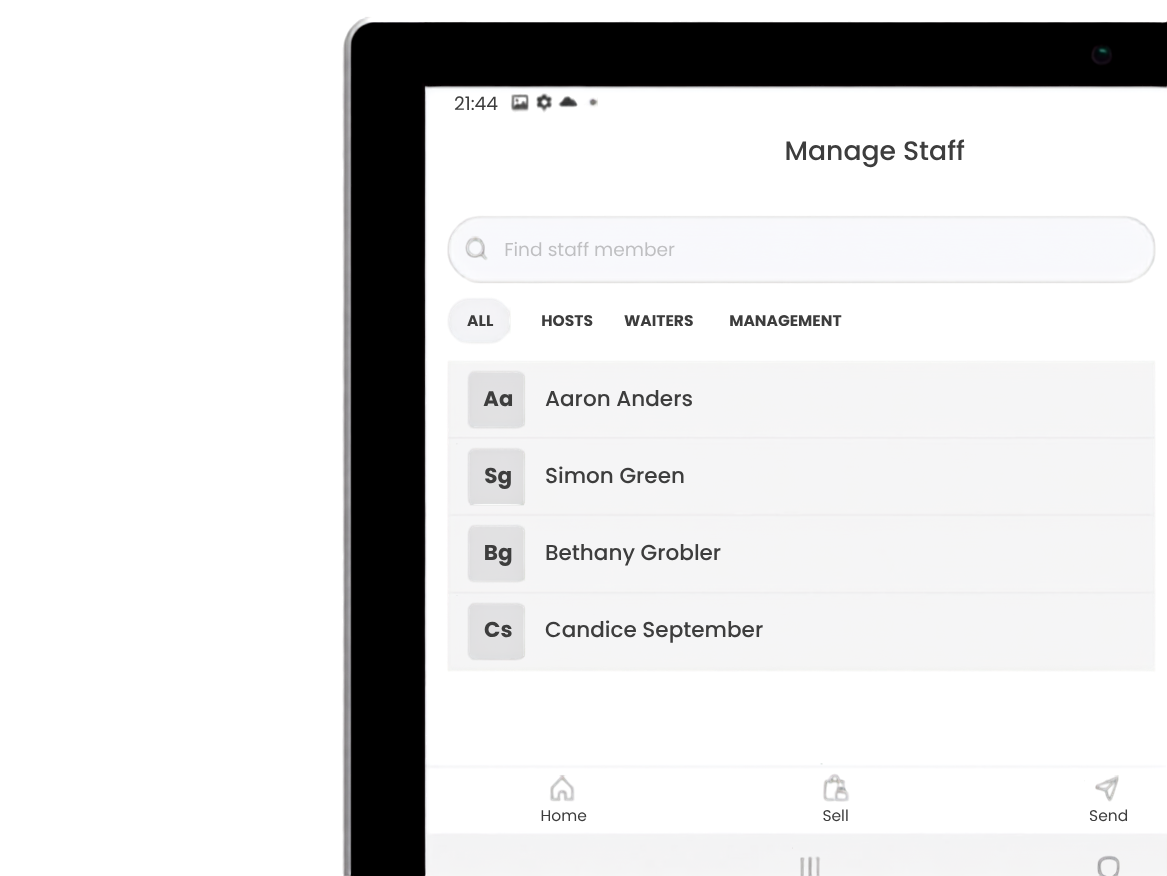
A point of sale system can record which staff member made each sale, and depending on the provider and plan it may also hold clock-in and shift records and allocate tips. Staff features help you control who can do what, and connect activity to the person responsible. They may include:
Individual profiles or PINs.
Role-based permissions.
Sales by staff member(s).
Clock-in and shift records.
Discount, void and refund controls.
Tip allocation.
Activity logs.
Which of these is included depends on your provider and plan.
Customer data
Some point of sale systems let a business attach customer details to a transaction. Customer data should be collected for a clear purpoint of salee and handled according to the privacy and security obligations that apply to the business, such as for a loyalty programme. The South African Information Regulator provides guidance on the Protection of Personal Information Act.
Sales reports
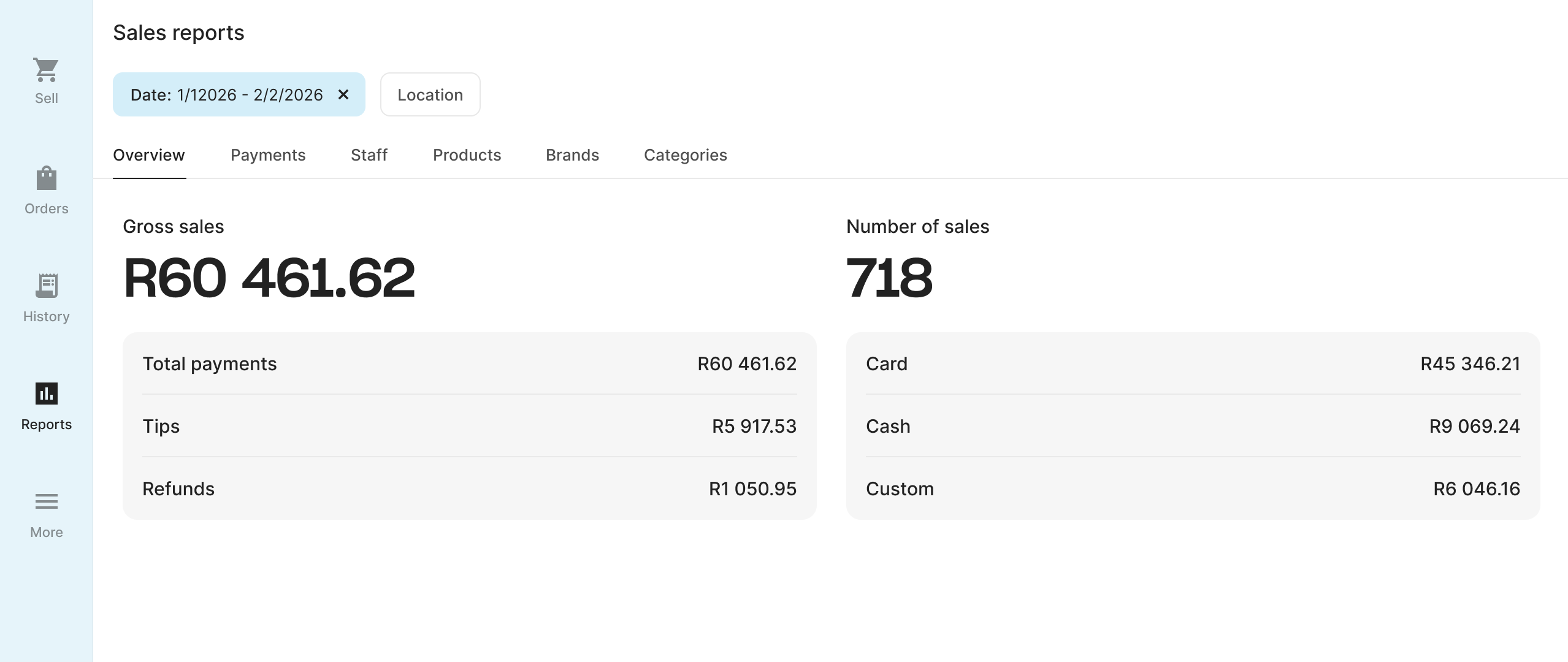
Reporting features turn individual transactions into a wider view of your trading activity. Reports help you review what happened. They don't correct missing or inaccurate inputs.
Learn more about what a point of sale report shows.
Multiple locations or channels?
If you sell from more than one location or channel, you may need features that combine the information across them. Just because two systems are integrated doesn't mean they share one perfect view. Check which records synchronise, how quickly they update, and which system is treated as the source of truth.
Integrations
An integration lets the point of sale exchange selected information with another tool, most often accounting, ecommerce, ordering, booking, delivery, loyalty or workforce software.
An integration should remove a repeated task, or get information into a system that's missing it. Connecting tools without deciding who owns the record creates duplicates and conflicting records.
Administration, security and support
Administration, security and support features are less visible at checkout and matter when you run the system every day. Cardholder data requires particular protection. The PCI Security Standards Council publishes guidance for merchants on protecting payment data.
Point of sale software features by business type
Retail businesses need barcodes and stock counts, a cafe needs modifiers and tips, a sit-down restaurant needs tables and split bills, while a salon needs staff attribution, a market seller might need battery life, and a multi-location business needs a shared catalogue. The feature set that fits follows the work you need to complete, so start from your workflow rather than your industry label.
Likely essential features | Often useful features |
|---|---|
Retail Product catalogue, barcode scanning, stock tracking, returns. | Retail Staff permissions, low-stock alerts, multi-location stock. |
Cafe or quick service Fast product tiles, modifiers, tips, receipt printing. | Cafe or quick service Kitchen printing, stock deduction, staff sales. |
Sit-down restaurant Table management, open orders, split bills, modifiers. | Sit-down restaurant Course management, kitchen display, staff attribution. |
Salon or services Service catalogue, staff attribution, digital receipts. | Salon or services Customer profiles, appointment links, loyalty. |
Market or mobile Portable device, battery life, mobile data, quick setup. | Market or mobile Simple stock, digital receipts, offline capability. |
Multi-location Shared or individual catalogues, location permissions, central reporting. | Multi-location Stock transfers, user access by branch. |
Business type | Likely essential features | Often useful features |
|---|---|---|
Retail | Product catalogue, barcode scanning, stock tracking, returns. | Staff permissions, low-stock alerts, multi-location stock. |
Cafe or quick service | Fast product tiles, modifiers, tips, receipt printing. | Kitchen printing, stock deduction, staff sales. |
Sit-down restaurant | Table management, open orders, split bills, modifiers. | Course management, kitchen display, staff attribution. |
Salon or services | Service catalogue, staff attribution, digital receipts. | Customer profiles, appointment links, loyalty. |
Market or mobile | Portable device, battery life, mobile data, quick setup. | Simple stock, digital receipts, offline capability. |
Multi-location | Shared or individual catalogues, location permissions, central reporting. | Stock transfers, user access by branch. |
Use the table above as a starting point and check it against your own workflow. For instance, a small specialist retailer may get more from customer records than from barcode scanning. A busy takeaway might need more than one preparation printer and no table management.
How point of sale system components work together
Each component does one job, and the sale moves through them in order. Scan an item and the scanner identifies it, the catalogue supplies its price, the software builds and records the sale, a connected payment terminal takes the card, and the stock and reporting features pick up the completed transaction.
Each component has a distinct role:
The scanner identifies the item.
The catalogue supplies the item information.
The software builds and records the sale.
The payment terminal handles the electronic payment.
The stock and reporting features use the completed transaction.
If one link is missing, the workflow changes. Without a scanner, staff can search for the item. Without a connected payment terminal, they can enter the amount separately, but will have to do reconciliation at close. Without stock features, the sale can still be completed but the recorded stock quantity will not update.
Which features are core, useful and specialist?
Core features record a sale, useful operational features cut repeated admin, and specialist features serve a particular workflow such as table service or ingredient-level stock. Sorting features this way is more use than counting how many a system has.
Core features
These support the basic job of recording a sale:
Entering an item, service or amount.
Calculating the total.
Recording a payment method.
Completing and saving the transaction.
Reviewing basic sales history.
Useful operational features
These reduce repeated admin or improve control for many businesses:
Structured product catalogues.
Stock tracking.
Staff profiles and permissions.
Refund and discount controls.
Payment-method reports.
Digital or printed receipts.
Data exports and integrations.
Specialist features
These serve particular workflows or more complex operations:
Table maps and course management.
Kitchen display or multi-station printing.
Ingredient-level stock.
Serial-number tracking.
Purchase orders and supplier management.
Multi-location transfers.
Advanced loyalty rules.
Omnichannel fulfilment.
Availability varies by provider and by plan, so check what your plan covers before you build a workflow around one of these. A specialist feature is worth paying for when it does a job you already do by hand, manually.

:format(webp))
Common mistakes when comparing point of sale system features
You can go wrong by counting feature names, assuming the equipment is included, assuming a connected feature works without setup, ignoring what happens when two systems disagree, and buying for a future that may not arrive.
A feature name doesn't prove it handles your workflow - ask to see your actual process tested end to end, exceptions included.
Supporting a printer, scanner or terminal doesn't mean it's in the base setup - confirm exactly which devices and software plan are being quoted.
Some features need setup, compatible products or staff action to work: stock stays accurate only if sales are rung up against real products, and reports split by staff only if each person has their own login.
When your point of sale, terminal, ecommerce store and accounting tool each keep their own records, you need a way to spot and resolve the differences.
Check whether the system can add devices, staff and locations later - and skip specialist features you don't need yet.
:format(webp))
:format(webp))
:format(webp))